


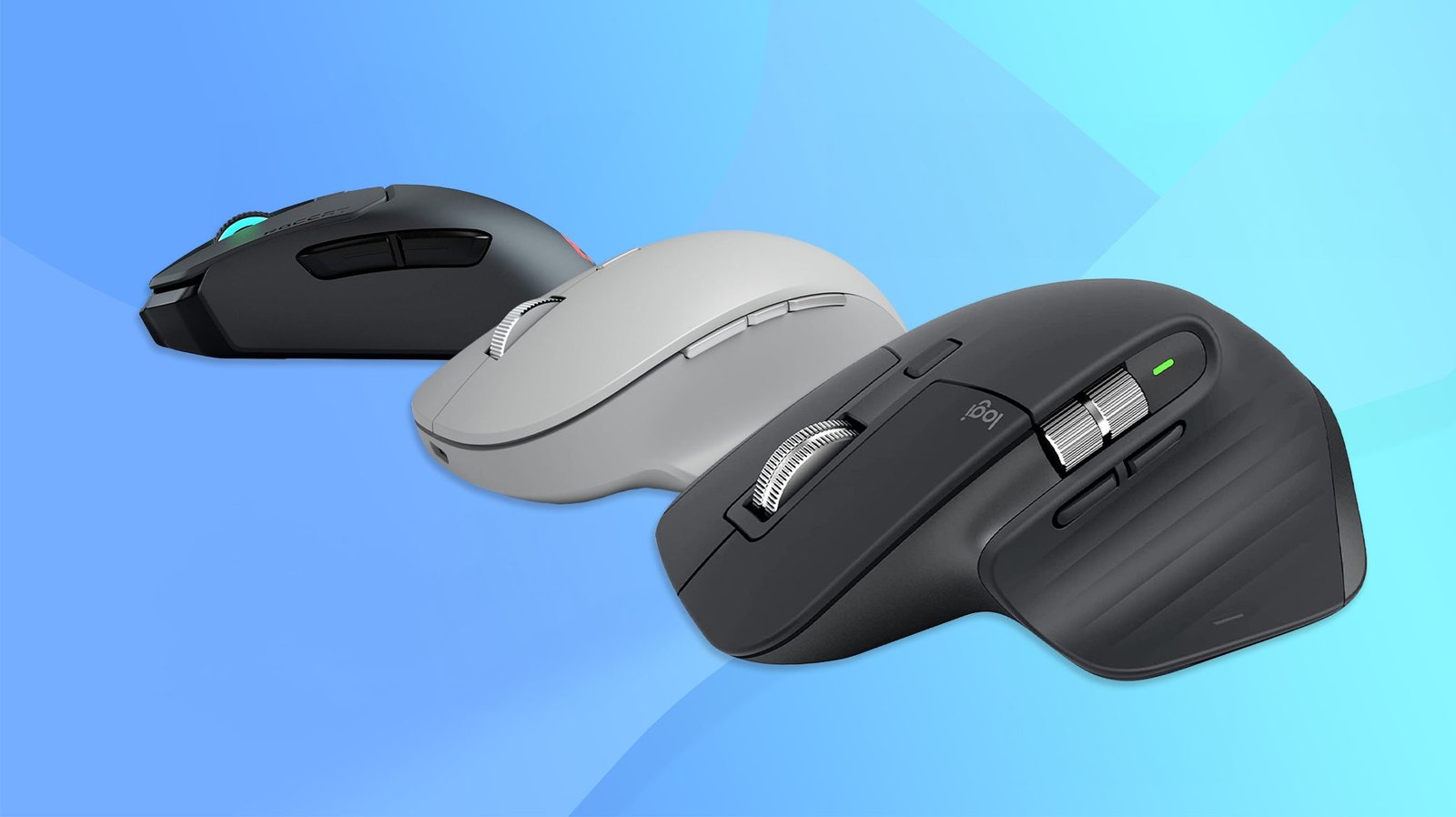
Wireless mice make laptop use more comfortable by offering greater precision, flexibility, and freedom from cables. Whether you’re working, studying, traveling, or browsing at home, the right mouse can improve productivity and reduce hand fatigue.
This guide covers the best wireless mice for laptops, comparing options for different sizes, battery life, connectivity methods, and budgets. It also highlights the key factors to consider when choosing the right wireless mouse for your needs.
1. Logitech M185 Wireless Mouse

The Logitech M185 Wireless Mouse is ideal for users seeking a reliable and affordable wireless mouse compatible with PCs, Macs, and laptops. Whether you’re a student, professional, or casual computer user, this mouse offers a hassle-free experience with its easy setup and long-lasting battery life. Its compact and ambidextrous design makes it suitable for both right and left-handed users, perfect for on-the-go use.
Pros:
- 12-month battery life ensures long-term use without frequent replacements
- 2.4GHz wireless connectivity with USB mini receiver provides a stable and lag-free connection
- Ambidextrous design caters to both left and right-handed users
- 1000 DPI optical tracking offers precise and smooth cursor control
- Compact and lightweight (only 0.066 pounds), ideal for portability
- Compatible with multiple operating systems including Windows and Mac
Cons:
- No customizable buttons or advanced features for gamers or power users
- Basic design might not appeal to users looking for a premium aesthetic
- Requires USB port for the receiver, which might be a limitation for some ultrabooks
The Logitech M185 Wireless Mouse combines simplicity with functionality, making it an excellent choice for everyday computing tasks. Its plug-and-play setup means users can start working immediately without installing additional software. The mouse’s 1000 DPI optical sensor ensures accurate tracking on most surfaces, enhancing productivity whether you’re browsing, working on documents, or casual gaming.
Another significant advantage is its long-lasting 12-month battery life, reducing the hassle and cost of frequent battery changes. The compact and ambidextrous design allows comfortable use for extended periods, fitting easily into bags or laptop cases for mobile users. Overall, the Logitech M185 offers a balanced mix of convenience, reliability, and affordability for a wide range of users.
To buy this product, click here.
2. Acer Wireless Mouse For Laptop

The Acer Wireless Mouse for Laptop is ideal for users who seek a reliable and ergonomic cordless mouse for everyday office or home use. It is especially suited for individuals with medium to large sized hands who want a comfortable grip while working on their PC, laptop, or desktop. Those looking for an easy-to-use, plug-and-play device with adjustable sensitivity will find this mouse a perfect fit.
Pros:
- Wireless 2.4GHz connection ensures seamless and lag-free operation.
- Three adjustable DPI settings (up to 1600 DPI) for customized sensitivity.
- Comes with a USB-A receiver for convenient plug-and-play setup.
- Equipped with 6 buttons for enhanced functionality and productivity.
- Ergonomic design suitable for medium to large hands for comfortable use.
- Compact and lightweight, weighing only 0.187 lbs, easy to carry.
Cons:
- Lacks Bluetooth connectivity; relies solely on the USB-A receiver.
- The black color may show fingerprints and smudges easily.
- Not ideal for users with very small hands due to its size.
This Acer wireless mouse features a 2.4GHz wireless connection that delivers stable and uninterrupted performance, making it perfect for office tasks and casual browsing. The inclusion of a USB-A receiver ensures a hassle-free setup without the need for additional software, enhancing user convenience. The ergonomic design is tailored to fit medium to large hands comfortably, minimizing fatigue during extended use.
Users can benefit from the three adjustable DPI levels, allowing them to switch between precision modes depending on their tasks, whether detailed graphic work or quick navigation. The presence of 6 functional buttons adds versatility, enabling shortcuts and improved workflow efficiency. Overall, this mouse combines comfort, functionality, and wireless freedom, making it a reliable companion for daily computer use.
To buy this product, click here.
3. Logitech M240 Silent Bluetooth Mouse

The Logitech M240 Silent Bluetooth Mouse is ideal for users who prioritize a quiet, efficient, and portable pointing device. This mouse is perfect for professionals, students, and remote workers who need a reliable and wireless mouse compatible with multiple operating systems such as Windows, macOS, and ChromeOS. Its compact size and silent clicking make it suitable for shared workspaces, libraries, and environments where noise reduction is essential.
Pros:
- Silent clicking reduces noise distractions in quiet environments
- Wireless Bluetooth connectivity ensures a clutter-free workspace
- Compact and portable design makes it easy to carry and use on the go
- Long-lasting 18-month battery life minimizes the need for frequent replacements
- Smooth tracking enhances precision and productivity on various surfaces
- Compatible with multiple platforms including PC, Mac, laptops, and tablets
Cons:
- No customizable buttons for advanced user preferences
- Limited color options, only available in Graphite
- No USB receiver included, relies solely on Bluetooth connectivity
The Logitech M240 Silent Bluetooth Mouse features a sleek and ergonomic design with dimensions of approximately 3.9 inches in height, 2.36 inches in width, and 1.54 inches in length, weighing only 0.16 pounds. This makes it a highly portable accessory that fits comfortably in the hand and easily slips into laptop bags or backpacks. The mouse’s Bluetooth capability eliminates the need for a USB dongle, allowing seamless connection to a wide range of devices including PCs, Macs, and tablets.
One of the standout features is its silent clicking mechanism, which significantly reduces noise, making it ideal for quiet workspaces and public environments. Additionally, the 18-month battery life ensures users can work uninterrupted for long periods without worrying about frequent battery changes. The smooth tracking sensor provides precise cursor control across multiple surface types, enhancing user productivity whether working on spreadsheets, browsing the web, or editing documents.
To buy this product, click here.
4. Wl300 Bluetooth Mouse

The WL300 Bluetooth Mouse Silent Wireless Mice is ideal for professionals, students, and frequent travelers who value a quiet click and efficient, ergonomic design. Those who work long hours on a laptop, PC, or Mac and require a reliable, cordless mouse with customizable features will find this device particularly useful. Its silent operation and sculpted grip make it perfect for shared workspaces and on-the-go use.
Pros:
- Silent click technology for noise-free operation
- Adjustable DPI settings for precise control
- Ergonomic sculpted grip enhances comfort during extended use
- Long-lasting 18-month battery life reduces the need for frequent charging
- Compatible with multiple devices including laptops, PCs, and Macs
- Compact and cordless design ideal for travel
Cons:
- Limited color option (only Dark Grey available)
- May require Bluetooth-enabled devices for connectivity
The WL300 Bluetooth Mouse offers a seamless wireless experience with its robust Bluetooth connectivity, eliminating the clutter of cords and enhancing mobility. The 6-button layout provides users with customizable shortcuts, improving productivity and ease of navigation. Its adjustable DPI feature allows users to switch sensitivity levels effortlessly, catering to different tasks such as detailed graphic work or fast cursor movement.
Designed with user comfort in mind, the mouse’s sculpted grip fits naturally in the hand, reducing strain during prolonged use. The quiet click mechanism ensures minimal disruption in quiet environments like libraries or shared offices. Additionally, the impressive 18-month battery life means less downtime and fewer battery replacements, making this mouse a dependable companion for work or travel.
To buy this product, click here.
5. Acer Wireless Mouse

The Acer Wireless Mouse for Laptop is ideal for users with medium to large sized hands who seek a reliable, ergonomic, and responsive cordless mouse for their PC, laptop, or desktop. Whether you are a professional working in an office environment or a casual user looking for smooth navigation, this mouse offers the perfect blend of precision and comfort.
Pros:
- 5 adjustable DPI settings up to 4000 DPI for customizable sensitivity
- 6 buttons provide enhanced functionality and easy access to shortcuts
- Wireless 2.4GHz connection ensures stable and lag-free performance
- Compact and lightweight design with dimensions suitable for comfortable handling
- USB-A receiver offers easy plug-and-play compatibility with most devices
Cons:
- May require occasional battery replacements as it is cordless
- The USB-A receiver might be incompatible with some newer devices that use USB-C ports
The Acer Wireless Mouse boasts a 2.4GHz wireless connection that provides reliable and uninterrupted connectivity, ideal for professionals who need consistent performance without the clutter of cables. Its 5 adjustable DPI settings allow users to fine-tune sensitivity for different tasks, such as high precision for graphic design or lower sensitivity for everyday browsing.
Equipped with 6 functional buttons, this mouse enhances productivity by enabling quick access to customizable commands and shortcuts. The ergonomic design caters specifically to medium to large sized hands, ensuring comfortable use during extended work sessions. The included USB-A receiver supports simple installation and broad compatibility across various devices, making the Acer Wireless Mouse a versatile tool for both office and home use.
To buy this product, click here.
6. Vssoplor Wireless Mouse

The VssoPlor Wireless Mouse is ideal for users seeking a compact and portable solution for their laptop or desktop computer. Whether you are a student, professional, or casual user who values quiet operation and sleek design, this mouse offers a perfect balance of functionality and style in black and gold colors.
Pros:
- 2.4G wireless connectivity ensures stable and fast response
- Slim and lightweight design for easy portability
- Quiet silent clicks ideal for noise-sensitive environments
- Nano receiver for convenient plug-and-play use
- Compatible with notebooks, PCs, and laptops
Cons:
- Limited color options, only available in black and gold
- May not be ergonomic enough for extended use
- Battery life details not clearly specified
The VssoPlor Wireless Mouse features a 2.4G wireless connection that provides a reliable and lag-free experience, making it perfect for everyday computing tasks. Its nano receiver is compact and easy to carry, ensuring you can quickly connect your mouse without hassle. The quiet silent optical technology reduces clicking noise, creating a more comfortable environment especially in shared or quiet spaces.
Designed with a slim and portable profile, the mouse weighs only 0.15 pounds and fits comfortably in your hand or laptop bag. The elegant black and gold color scheme adds a touch of sophistication to your workspace. This mouse is compatible with a wide range of devices including notebooks, PCs, and laptops, offering versatile use for both work and leisure.
To buy this product, click here.
7. Logitech G305 Lightspeed Wireless Gaming Mouse

The Logitech G305 Lightspeed Wireless Gaming Mouse is ideal for gamers and professionals seeking a high-performance, reliable, and lightweight wireless mouse. It is perfect for users who want precision and speed without the hassle of cables, making it suitable for both competitive gaming and everyday computing tasks.
Pros:
- Hero Sensor with up to 12,000 DPI for exceptional accuracy and responsiveness.
- Lightspeed Wireless Technology offers a fast and stable connection with virtually no lag.
- Lightweight design (only 0.21 pounds) ensures comfortable extended use.
- Six programmable buttons provide customizable control options for gaming or productivity.
- Long battery life of up to 250 hours on a single AA battery.
- On-board memory allows users to save settings directly to the mouse.
- Compatible with both PC and Mac platforms.
Cons:
- Lacks RGB lighting which some gamers might prefer for aesthetics.
- No rechargeable battery option; relies on standard AA batteries.
- Smaller size may not be comfortable for users with larger hands.
The Logitech G305 Lightspeed Wireless Gaming Mouse features the advanced Hero Sensor, delivering precision tracking with an impressive DPI range up to 12,000. This ensures users experience smooth, accurate cursor movements whether they are gaming or working on detailed tasks. The lightweight design enhances comfort, reducing fatigue during long gaming sessions or extended work periods.
Equipped with Lightspeed Wireless Technology, the mouse provides a reliable, ultra-fast connection that rivals wired mice, eliminating latency and input lag. Its six programmable buttons give users the flexibility to customize commands and macros, boosting efficiency and gaming performance. Additionally, the mouse’s impressive 250-hour battery life means less downtime and fewer interruptions, while the on-board memory allows users to save their preferred settings directly on the device, ensuring seamless use across different systems.
To buy this product, click here.
8. Wireless Mouse For Laptop

The Wireless Mouse for Laptop by SABLUTE is ideal for professionals, students, and casual users who seek a reliable, cordless mouse that offers flexibility and ease of use. Perfect for those with small to medium hands, this mouse is designed to enhance productivity whether you’re working on a PC, desktop, or tablet. It suits anyone looking for a seamless and efficient pointing device with advanced features like multiple buttons and adjustable DPI settings.
Pros:
- 2.4GHz wireless connectivity ensures a stable and lag-free connection.
- Comes with both USB-A port and USB-C adapter for versatile compatibility.
- 6 programmable buttons provide customizable shortcuts for improved workflow.
- 3-level DPI adjustment allows precise cursor control tailored to user preferences.
- Lightweight design (0.187 pounds) enhances comfort during extended use.
- Gray color offers a sleek and professional appearance.
Cons:
- May not be suitable for users with larger hands due to size constraints.
- Requires USB port availability for receiver, which might limit use on some ultra-slim laptops.
- No rechargeable battery option; operates on replaceable batteries.
The Wireless Mouse for Laptop by SABLUTE offers impressive versatility with its dual compatibility via USB-A and USB-C adapters, making it convenient for a wide range of devices. The 2.4GHz wireless technology ensures a strong connection without interference, while the inclusion of 6 buttons enhances productivity by enabling users to customize commands and shortcuts. This mouse is particularly beneficial for users who need precision, thanks to the 3-level DPI settings that allow easy adjustment of cursor sensitivity.
Designed with ergonomics in mind, the mouse’s lightweight build makes it comfortable for prolonged use, reducing hand fatigue. Its sleek gray color and compact design make it an excellent choice for office or home environments. Whether you’re navigating complex spreadsheets, browsing the web, or gaming casually, this mouse delivers consistent performance and convenience, making it a practical investment for anyone looking to upgrade their computer accessories.
To buy this product, click here.
Frequently Asked Questions
What Is The Battery Life Of The Best Wireless Mice?
Most top wireless mice like Logitech M185 and M240 offer 12 to 18 months battery life. This ensures long-lasting use without frequent replacements or charging interruptions.
Are Wireless Mice Compatible With Both Pc And Mac?
Yes, most wireless mice including Logitech and Acer models support PC, Mac, laptops, and sometimes tablets, ensuring broad compatibility.
How Important Is Dpi In Wireless Mice For Laptops?
DPI affects pointer sensitivity. Higher DPI like 4000 suits precision tasks, while 1000-1600 DPI is ideal for general use and office work.
Do Wireless Mice Support Bluetooth And Usb Receivers?
Many wireless mice like Logitech M240 and WL300 support Bluetooth and USB receivers. This allows flexible connectivity options for various devices.
Are Silent Click Wireless Mice Beneficial For Work Environments?
Silent click mice, such as Logitech M240 and WL300, reduce noise. They are perfect for quiet offices, libraries, or shared workspaces.
What Features Make A Wireless Mouse Suitable For Gaming?
Gaming mice like Logitech G305 offer high DPI (up to 12,000), programmable buttons, lightweight design, and fast response for enhanced performance.
Conclusion
Choosing the right wireless mouse can greatly improve your laptop experience. Each mouse on this list offers unique features like long battery life, adjustable DPI, and quiet clicking. Whether you need something compact for travel or a mouse with extra buttons for work, there is an option for you.
Consider your hand size, preferred connectivity, and how you plan to use the mouse. Simple models like the Logitech M185 provide reliable everyday use. For more advanced needs, the Logitech G305 offers high precision and customization. Remember, comfort and ease of use matter most.
With the right wireless mouse, your laptop tasks become smoother and more enjoyable. Take your time to pick the best fit. Your productivity and comfort will thank you.
