


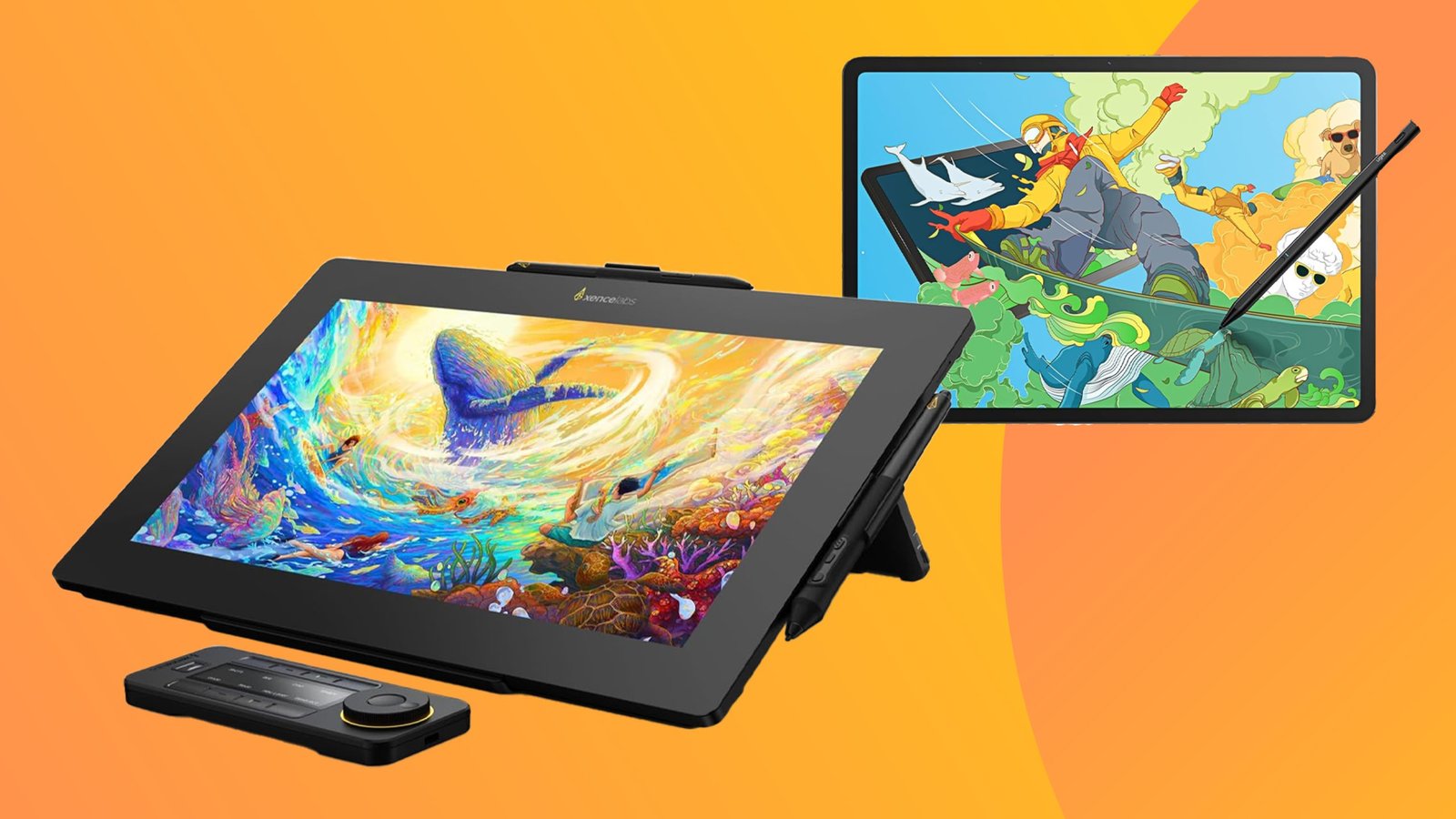
Drawing tablets expand a laptop’s creative capabilities by providing precise pen input for digital illustration, photo editing, animation, and graphic design. They offer greater control and a more natural drawing experience than a mouse or trackpad.
This guide covers the best drawing tablets for laptops, comparing options for different sizes, pressure sensitivity levels, features, and budgets. It also highlights the key factors to consider when choosing the right drawing tablet for your creative workflow.
1. Xppen Updated Deco 01 V3 Drawing Tablet

The XPPen Updated Deco 01 V3 Drawing Tablet is perfect for digital artists, graphic designers, educators, and gamers who need a versatile and responsive tool for creative work and interactive applications. Ideal for users seeking a reliable, pressure-sensitive tablet with customizable hotkeys for enhanced productivity across multiple platforms including Chrome, PC, Mac, and Android.
Pros:
- 16384 levels of pressure sensitivity for precise and natural drawing experience
- Battery-free stylus reduces the need for charging and enhances ease of use
- 10×6 inch active area providing ample space for detailed artwork
- 8 customizable hotkeys for quick access to frequently used functions
- Compatible with multiple operating systems including Chrome, PC, Mac, and Android
- Lightweight and slim design for easy portability
Cons:
- May require driver installation and updates for optimal performance
- Limited to 10×6 inch active area, which might be small for users who prefer larger tablets
The XPPen Deco 01 V3 offers an impressive 16384 levels of pressure sensitivity, allowing users to achieve detailed strokes and shading that mimic traditional drawing tools. Its battery-free stylus ensures uninterrupted creativity without worrying about battery life, making it convenient for extended use. The tablet’s 10×6 inch active area strikes a good balance between portability and workspace, making it suitable for both beginners and professionals.
Additionally, the inclusion of 8 customizable hotkeys enhances workflow efficiency by allowing users to assign shortcuts for various functions, reducing the need to switch between keyboard and tablet. Compatibility with multiple operating systems such as Chrome, PC, Mac, and Android makes the Deco 01 V3 a versatile choice for different devices and software environments, catering to a wide range of creative and educational uses.
To buy this product, click here.
2. Wacom Intuos Small Graphics Drawing Tablet

The Wacom Intuos Small Graphics Drawing Tablet is perfect for beginners, students, and creative professionals who want a compact and versatile digital drawing solution. Ideal for those who need a portable device that works seamlessly across multiple operating systems such as Chromebook, Mac, Android, and Windows, this tablet is designed to enhance creativity while providing an intuitive user experience. If you are looking to improve your digital art skills or require a reliable tool for graphic design, this tablet is an excellent choice.
Pros:
- Includes training and software for a smooth start and enhanced creativity
- Compact and lightweight design with dimensions of 7.87 x 6.3 inches and weighing only 0.50625 pounds
- Features 4 customizable ExpressKeys for quick access to frequently used functions
- Compatible with multiple platforms including Chromebook, Mac, Android, and Windows
- Reliable brand backed by Wacom Technology Corporation
Cons:
- Small active area may not be suitable for professional artists requiring larger workspace
- Does not include a display screen, so users must look at their monitor while drawing
The Wacom Intuos Small tablet offers a highly responsive drawing surface that supports precise pen input, making it ideal for sketching, drawing, and photo editing. Its lightweight and compact dimensions allow users to easily carry it anywhere, perfect for students or professionals on the go. With the inclusion of training and creative software, users can quickly get started and explore various digital art techniques without additional costs.
This tablet’s customizable ExpressKeys enhance workflow efficiency by allowing users to assign shortcuts for frequently used commands, reducing the need to switch between keyboard and tablet. Furthermore, its wide compatibility across major operating systems ensures that users can integrate it seamlessly into their existing setup, whether for professional design work, casual drawing, or educational purposes. Overall, the Wacom Intuos Small is a versatile and user-friendly device that supports creativity in a compact package.
To buy this product, click here.
3. Huion Inspiroy H640p Drawing Tablet

The HUION Inspiroy H640P Drawing Tablet is ideal for digital artists, designers, and creative professionals who need a reliable and portable tool for drawing, writing, and design work. It is also perfect for students and educators looking to enhance their teaching experience with interactive and precise digital input. This tablet suits users who want compatibility across multiple devices including Mac, PC, and mobile platforms.
Pros:
- Battery-free stylus with 8192 levels of pen pressure for precise and natural drawing experience
- Compact and lightweight design (6×4 inch active area) ideal for portability
- 6 customizable hot keys to improve workflow efficiency
- Compatible with a wide range of software and operating systems including Mac, Windows, and mobile devices
- Accurate and responsive for drawing, writing, and design tasks
Cons:
- Smaller active area may not be suitable for users who prefer larger drawing surfaces
- May require some adjustment time for beginners unfamiliar with drawing tablets
- Lacks a display screen, so users draw on the tablet while viewing the screen separately
The HUION Inspiroy H640P features a battery-free stylus with an impressive 8192 levels of pen pressure sensitivity, allowing artists to create detailed and expressive artwork with ease. The compact 6×4 inch active drawing area makes it highly portable without compromising precision, making it an excellent choice for users who need a balance between mobility and performance. Additionally, the tablet’s six customizable hot keys provide quick access to frequently used functions, enhancing productivity and workflow efficiency.
Designed to work seamlessly across multiple platforms, this graphics tablet supports Mac, PC, and mobile devices, making it versatile for various creative and professional applications. Whether you are working on digital illustrations, graphic design projects, or online teaching, the HUION Inspiroy H640P delivers a smooth and responsive drawing experience. Its lightweight and slim profile also ensure comfortable use during extended sessions, making it a dependable tool for both beginners and seasoned artists.
To buy this product, click here.
4. Xppen Drawing Tablet With Screen Artist13.3 Pro

The XPPen Drawing Tablet with Screen Full-Laminated Graphics Drawing Monitor Artist13.3 Pro is ideal for digital artists, graphic designers, and creative professionals who seek a high-quality, portable drawing solution. It is perfect for those who want to enhance their workflow with a device that combines precision, vibrant color accuracy, and customizable controls. Whether you’re a beginner or an experienced artist, this tablet offers the tools to bring your digital artwork to life.
Pros:
- Full-laminated screen with 13.3-inch display for clear, vibrant visuals
- High 16384 levels of pen pressure sensitivity for precise and natural drawing experience
- Adjustable stand for comfortable angle customization during use
- 8 customizable shortcut keys to improve workflow efficiency
- Wide color gamut with 123% sRGB for accurate and rich color representation
- Lightweight design, weighing just over 4 pounds for easy portability
Cons:
- Screen size might be limiting for users who prefer larger drawing areas
- Some users may experience a learning curve with the shortcut keys customization
The XPPen Artist13.3 Pro features a full-laminated screen that minimizes parallax, giving artists a more natural feel as if they are drawing directly on paper. The 16384 levels of pen pressure sensitivity allow for detailed control over line thickness and opacity, making it easier to create intricate designs and shading effects. Additionally, the tablet’s 123% sRGB color gamut ensures that colors are vivid and true to life, which is essential for professional-grade artwork and accurate color matching.
Comfort and usability are also prioritized with the inclusion of an adjustable stand, enabling users to set the tablet at an ergonomic angle, reducing strain during long creative sessions. The 8 programmable shortcut keys allow for quick access to frequently used functions, accelerating the creative process. Its sleek and lightweight design, available in both black and white, makes it easy to transport for artists on the go, making the XPPen Artist13.3 Pro a versatile and powerful tool for digital artistry.
To buy this product, click here.
5. Picassotab-x11

The PicassoTab-X11 Standalone Drawing Tablet is ideal for artists, students, and creative professionals who seek a versatile and portable device for digital drawing without the need for a computer. If you want an all-in-one solution that includes professional drawing apps and tutorials, this tablet is perfect for anyone looking to enhance their digital art skills on the go.
Pros:
- Compact and lightweight with an 11″ laminated 2K screen for vibrant, clear visuals
- 4096 pressure stylus pen offers precise control and natural drawing experience
- No computer needed – fully standalone with pre-installed professional drawing apps
- Includes pro drawing tutorials to help users improve their skills
- Portable design makes it easy to carry and work anywhere
Cons:
- Screen size might be small for users accustomed to larger drawing tablets
- Limited to apps pre-installed or supported by the device, which may restrict software flexibility
- Battery life may vary depending on usage intensity
The PicassoTab-X11 boasts an impressive 11-inch laminated 2K display that provides artists with sharp and vibrant visuals, enhancing the overall drawing experience. The laminated screen reduces parallax and offers better pen-to-screen precision, making it easier for users to create detailed artwork. The inclusion of a 4096 pressure sensitivity stylus allows for nuanced brush strokes and shading, closely mimicking traditional drawing tools.
This tablet is completely standalone, eliminating the need for a computer connection, which is a huge benefit for artists who prefer mobility and convenience. With professional drawing apps preloaded and built-in tutorials, users can immediately start creating and learning without any setup hassle. The compact and lightweight design makes it an excellent choice for students or traveling artists who want to sketch or design anywhere, anytime.
To buy this product, click here.
6. Xppen Starg640 Drawing Tablet

The Drawing Tablet XPPen StarG640 is an excellent choice for beginners, students, digital artists, and professionals who need a compact and efficient tool for drawing, e-learning, or remote working. Ideal for those who want a portable and affordable graphic tablet compatible with Mac, Windows, and Chromebook systems, this tablet caters to users looking to enhance their digital creativity or improve productivity with precise pen input.
Pros:
- Compact and lightweight design (6×4 inch active area) for easy portability.
- Comes with a battery-free stylus pen that provides a natural drawing experience.
- Compatible with multiple operating systems including Mac, Windows, and Chromebook.
- High sensitivity and accuracy ideal for detailed artwork and note-taking.
- Affordable price point making it accessible for students and hobbyists.
Cons:
- Smaller active drawing area may not suit advanced professionals requiring larger workspace.
- Limited express keys or shortcut buttons compared to higher-end models.
- May require installation of drivers and software for optimal performance.
The XPPen StarG640 features a 6×4 inch active drawing surface, which is compact enough for easy transport yet sufficient for detailed digital artwork and note-taking. Its slim profile and lightweight build (weighing just over 0.37 pounds) make it ideal for users who need a portable solution without sacrificing precision. The battery-free stylus ensures a smooth, uninterrupted workflow without the hassle of charging or replacing batteries, providing a natural pen-on-paper feel with high pressure sensitivity.
Designed to support multiple platforms including Mac, Windows, and Chromebook, the tablet offers versatility for various user needs such as digital drawing, remote education, and professional remote working. Its responsive pen technology benefits artists and students alike by delivering accurate strokes and allowing for effortless creativity or productivity. Although it lacks extensive shortcut keys, the tablet’s simplicity and affordability make it a perfect entry-level device for anyone starting in digital art or looking to enhance their online work and learning experience.
To buy this product, click here.
7. Huion Inspiroy H950p Drawing Tablet

The HUION Inspiroy H950P Drawing Tablet is ideal for digital artists, graphic designers, and creative professionals who need a reliable and precise tool for their artwork. It is also suitable for students and hobbyists who want to enhance their digital drawing experience with a responsive and feature-rich tablet compatible with Mac, PC, and mobile devices.
Pros:
- Battery-free stylus with 8192 levels of pen pressure sensitivity for accurate and smooth drawing.
- Tilt recognition that allows natural shading effects and enhances drawing precision.
- Compact 8×5 inch active area providing ample space without sacrificing portability.
- 8 customizable hot keys for quick access to shortcuts and improved workflow efficiency.
- Compatible with multiple operating systems including Mac, PC, and mobile devices.
- Lightweight and slim design, making it easy to carry and use anywhere.
Cons:
- Active area might be small for users preferring larger drawing surfaces.
- Learning curve for beginners to fully utilize customizable hot keys and tilt functions.
- Requires USB connection, which may limit wireless convenience.
The HUION Inspiroy H950P offers a balanced combination of precision and functionality. Its 8192 pen pressure levels and tilt support make it an excellent choice for artists seeking natural brush strokes and detailed control over their work. The tablet’s responsive and battery-free stylus ensures uninterrupted creativity without the hassle of charging, while the compact design fits comfortably on any desk or workspace.
Additionally, the inclusion of 8 programmable hot keys enhances productivity by allowing users to customize shortcuts for their most-used functions. This feature, combined with the tablet’s compatibility across different platforms, makes it versatile for various professional and personal applications. Overall, the HUION Inspiroy H950P is a powerful tool for anyone looking to elevate their digital art and design projects.
To buy this product, click here.
8. Huion Inspiroy H1060p Graphics Drawing Tablet

The HUION Inspiroy H1060P Graphics Drawing Tablet is ideal for digital artists, designers, and illustrators seeking a reliable and responsive tool to enhance their creative workflow. Whether you are a beginner looking to explore digital art or a professional requiring precision and customization, this tablet offers excellent features to meet diverse artistic needs. Its compatibility with Mac, Windows PC, and Android devices makes it a versatile choice for users across multiple platforms.
Pros:
- 8192 levels of pressure sensitivity for precise and natural pen strokes
- Battery-free stylus eliminates the need for charging and enhances convenience
- 12 customizable hot keys for improved productivity and workflow efficiency
- Large 10 x 6.25 inches active drawing area providing ample space for creativity
- Compatible with multiple operating systems including Mac, Windows, and Android
Cons:
- May require a learning curve for users new to graphic tablets
- Physical size might be slightly bulky for on-the-go use
The HUION Inspiroy H1060P features an expansive drawing surface of 10 x 6.25 inches, giving artists plenty of room to create detailed artwork comfortably. The tablet’s 8192 levels of pressure sensitivity enable users to execute precise lines and varied brush strokes, closely mimicking traditional drawing experiences. This sensitivity, combined with the battery-free stylus, ensures uninterrupted creativity without the worry of battery life or charging interruptions.
Additionally, the 12 customizable hot keys allow users to tailor shortcuts to their preferred tools and commands, significantly boosting workflow efficiency. Its compatibility with Mac, Windows, and Android devices enhances versatility, making it suitable for a wide range of digital applications. The sleek black design and lightweight build also contribute to a professional and comfortable user experience.
To buy this product, click here.
Frequently Asked Questions
What Is The Best Pressure Sensitivity For Drawing Tablets?
Most top drawing tablets offer 8192 to 16384 pressure levels. Higher sensitivity ensures precise and natural line variation for digital art.
Which Tablets Work Best With Laptops And Multiple Os?
Models like XPPen Deco 01 V3 and HUION Inspiroy H640P support Windows, Mac, Android, and Chromebook. They ensure versatile laptop compatibility.
Are Battery-free Stylus Pens Better For Artists?
Yes, battery-free styluses like those in XPPen and HUION tablets offer uninterrupted drawing. They are lightweight, responsive, and maintenance-free.
How Important Are Customizable Hotkeys On Drawing Tablets?
Customizable hotkeys enhance workflow by providing quick access to shortcuts. Tablets like HUION H1060P with 12 hotkeys boost productivity.
Can I Use A Drawing Tablet Without A Computer?
Yes, standalone tablets like PicassoTab-X11 have built-in apps and screens, allowing drawing without a laptop or PC connection.
What Screen Size Is Ideal For Drawing Tablets With Laptops?
A 6×4 to 10×6 inch active area fits most laptop setups. Larger screens like the XPPen Artist13. 3 Pro offer more drawing space and detail.
Conclusion
Choosing the right drawing tablet for your laptop depends on your needs and budget. Each tablet listed offers unique features for artists, students, and professionals. From compact options like the Wacom Intuos Small to advanced models like the XPPen Artist13.
3 Pro, there is something for everyone. Tablets with battery-free styluses provide ease and comfort during long sessions. Hotkeys and pressure sensitivity levels improve control and precision in your work. Portability and compatibility with multiple devices add extra convenience. Think about how you plan to use the tablet—drawing, teaching, or gaming—to pick the best fit.
Remember, investing in a quality tablet can enhance your creativity and productivity. Take your time to compare specs and reviews before making a decision. A good drawing tablet will make your digital art experience smoother and more enjoyable.
