


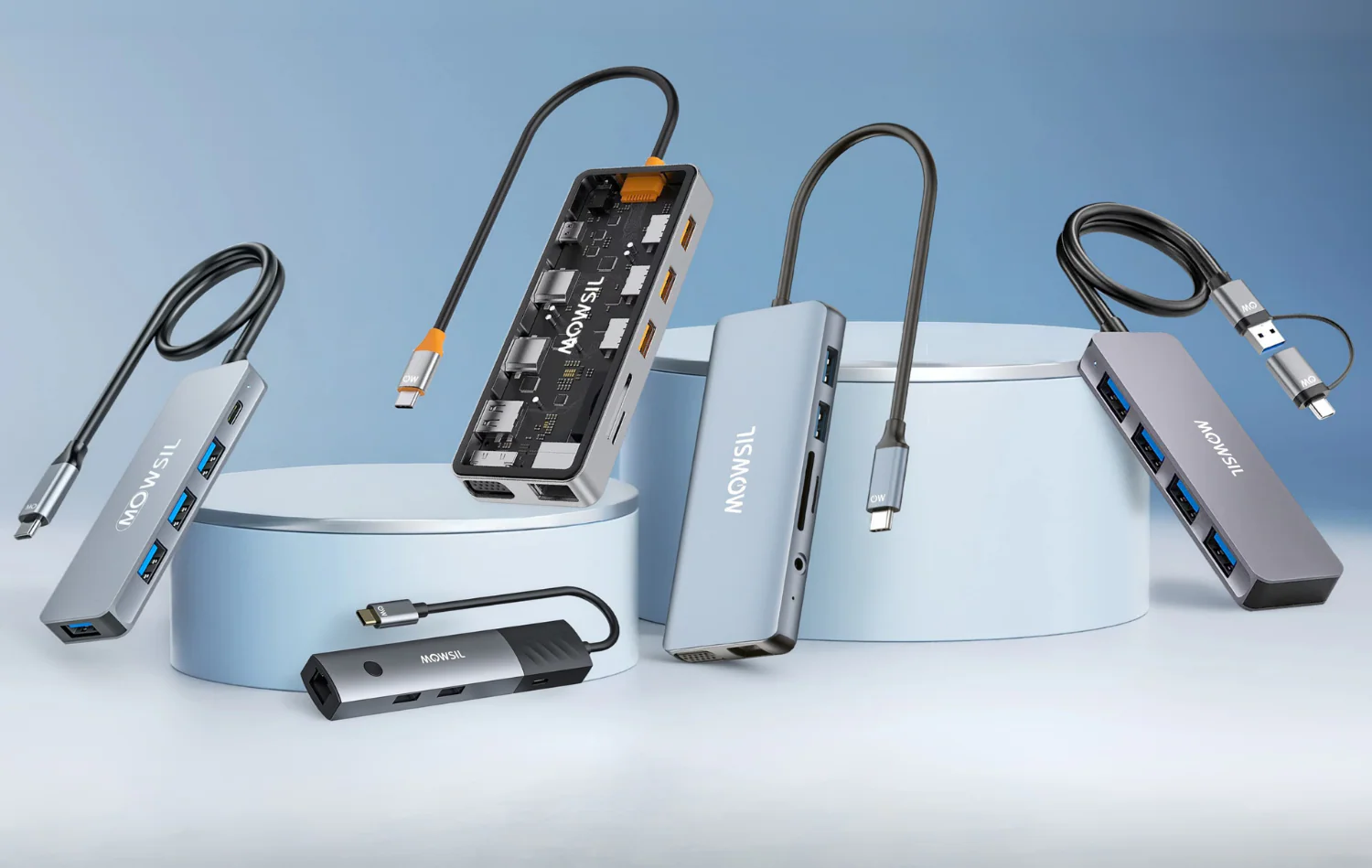
USB-C hubs expand a laptop’s connectivity by adding ports for monitors, USB devices, Ethernet, memory cards, and more through a single USB-C connection. They offer a convenient way to connect multiple peripherals while reducing cable clutter at home, in the office, or on the go.
This guide covers the best USB-C hubs for laptops, comparing options for different port selections, data transfer speeds, charging support, and budgets. It also highlights the key factors to consider when choosing the right USB-C hub for your laptop.
1. Anker Usb C Hub

The Anker USB C Hub, 5-in-1 USBC to HDMI Splitter is ideal for professionals and tech enthusiasts who need to expand their laptop’s connectivity options. Whether you own a MacBook Pro, MacBook Air, or a Dell laptop with a USB-C port, this hub is perfect for users looking to connect multiple devices simultaneously, including external displays and high-speed data peripherals. It is especially suited for those who require a compact, portable solution for workstations on the go.
Pros:
- Supports 4K HDMI output for crystal-clear display quality.
- Includes one powered USB-C 5Gbps data port and two powered USB-A 3.0 5Gbps data ports for fast data transfer.
- Compact and lightweight design makes it highly portable.
- Compatible with multiple laptop brands such as MacBook and Dell.
- Reliable brand reputation from Anker ensures durability and performance.
Cons:
- Limited number of USB-A ports might not suffice for users with multiple USB-A devices.
- No Ethernet port included for wired internet connectivity.
- Powered USB-C port requires power delivery support from the host device.
The Anker USB C Hub stands out with its ability to deliver stunning 4K display output through the HDMI splitter, making it ideal for presentations, video editing, or enhanced productivity on an external monitor. The inclusion of both USB-C and USB-A ports at high data transfer speeds (5Gbps) ensures users can connect and operate multiple peripherals such as external hard drives, flash drives, or other accessories without compromising performance. Its sleek black color and compact dimensions (Height: 0.45 inches, Width: 1.59 inches, Length: 4.78 inches) make it easy to carry and integrate seamlessly with your existing setup.
Additionally, this hub’s compatibility with a wide range of laptops, including popular models like the MacBook Pro, MacBook Air, and various Dell devices, guarantees flexibility and convenience. The powered ports help maintain consistent data transfer speeds and device charging capabilities, which is essential for maintaining productivity during busy work sessions. Overall, the Anker 5-in-1 USB C Hub is a versatile and dependable accessory for anyone looking to enhance their device connectivity in a compact and efficient manner.
To buy this product, click here.
2. Anker Usb C Hub

The Anker USB C Hub, 7in1 Multi-Port USB Adapter is ideal for professionals, students, and tech enthusiasts who need to expand their Type C devices’ connectivity. Whether you own a laptop or Mac with limited ports, this versatile hub is designed for users seeking a compact and efficient solution to connect multiple peripherals simultaneously.
Pros:
- Supports 4K@60Hz HDMI output for crystal-clear video quality
- Provides up to 85W Power Delivery for fast charging
- Includes multiple data ports: 2 USB 3.0 and 1 USB-C for high-speed data transfer
- Features SD and TF card readers for easy media access
- Compact and lightweight design (Gray color), perfect for portability
Cons:
- Charger not included, so an external power source is necessary for charging capabilities
- May cause slight heating during extended use due to multiple active ports
The Anker USB C Hub offers an impressive range of features packed into a sleek, gray compact body measuring approximately 3.94 inches on each side and weighing just 0.15 pounds. Its 7-in-1 multi-port design ensures that users can effortlessly connect their HDMI displays, USB devices, and memory cards all at once, making it an indispensable accessory for multitasking and enhancing productivity. The ability to output 4K resolution at 60Hz means crystal-clear visuals for presentations, streaming, or creative work.
Additionally, the hub supports up to 85W Power Delivery, allowing users to charge their laptops or other devices quickly while simultaneously using multiple peripherals. The inclusion of USB 3.0 and USB-C data ports facilitates fast data transfer speeds, while the SD/TF card readers provide convenient access to photos and files without the need for additional adapters. Overall, this Anker USB C Hub combines functionality, portability, and reliability, making it a smart investment for anyone needing to expand their device’s connectivity.
To buy this product, click here.
3. Anker Usb C Hub

The Anker USB C Hub 5-in-1 USB Hub for Laptops is ideal for professionals, students, and tech enthusiasts who need to expand the connectivity of their USB-C enabled laptops. If you require multiple ports for HDMI output, USB devices, or charging through a single compact adapter, this multiport adapter is designed to streamline your workspace and enhance productivity.
Pros:
- Supports 4K HDMI output for crystal-clear video quality
- Compact and lightweight design makes it highly portable
- Provides multiple ports including USB-C, HDMI, and USB 3.0 for versatile connectivity
- Durable build with sleek gray finish complements modern laptops
Cons:
- Limited to 5-in-1 ports, which may not cover all peripheral needs
- Does not include an Ethernet port for wired internet connections
The Anker USB C Hub offers seamless integration with laptops through its USB-C interface, enabling users to connect multiple devices simultaneously without the hassle of constantly switching cables. Its support for 4K HDMI output makes it perfect for presentations, streaming, or extending your desktop workspace with stunning visuals. The inclusion of high-speed USB ports ensures fast data transfer and efficient charging capabilities, making it a versatile accessory for everyday use.
With its slim and lightweight design, the hub is easy to carry along with your laptop, making it an excellent choice for users who travel or work remotely. The durable and stylish gray finish not only looks professional but also resists wear and tear. Overall, this multiport adapter from Anker enhances connectivity options while maintaining a sleek, minimal footprint on your desk.
To buy this product, click here.
4. Acer Usb C Hub

The Acer USB C Hub, 7 in 1 Multi-Port Adapter for Laptop/Mac Type C Devices is ideal for professionals, students, and tech enthusiasts who need to expand the connectivity options of their USB-C equipped laptops or Mac devices. If you require multiple ports for data transfer, charging, and connecting peripherals on the go or at your workstation, this compact and versatile hub is designed to meet your needs efficiently.
Pros:
- 7-in-1 multi-port design offering great versatility
- Compact and lightweight with a sleek space grey finish
- Supports multiple device connections simultaneously
- Durable build quality from the trusted Acer brand
- Easy plug-and-play setup with USB-C compatibility
Cons:
- Limited port length of 5.12 inches may restrict flexibility
- May not support all high-power devices simultaneously
- No additional power adapter included for heavy charging needs
The Acer USB C Hub offers a practical solution to the common problem of limited ports on modern laptops and Mac devices. With its seven different ports, users can connect USB drives, external monitors, SD cards, and other essential peripherals without needing multiple adapters. Its slim profile and minimalistic design make it an excellent accessory for users who value portability without sacrificing functionality.
Additionally, the hub’s robust construction and compatibility with a wide range of devices ensure reliable performance in various environments, from office desks to mobile setups. The inclusion of multiple connection types allows users to streamline their workspace and improve productivity by reducing cable clutter and connection hassles.
To buy this product, click here.
5. Ugreen Usb C Hub 5 In 1 Multiport Usb Adapter

The UGREEN USB C Hub 5 in 1 Multiport USB Adapter is ideal for users who need to expand the connectivity options of their MacBook Pro/Air, iPad Pro, iMac, or other compatible devices such as the iPhone 16 Pro/Pro Max, XPS, and Thinkpad. This multiport adapter is perfect for professionals, students, and tech enthusiasts who require seamless multitasking capabilities and enhanced device compatibility on the go.
Pros:
- Supports 4K HDMI output for high-resolution displays
- Delivers up to 100W Power Delivery to keep devices charged
- Includes 3 USB-A data ports for connecting multiple peripherals
- Compact and lightweight design with a sleek grey finish
- Compatible with a wide range of devices including latest MacBook and iPhone models
Cons:
- Limited to 5 ports, which may not be enough for users with extensive peripheral needs
- No dedicated SD or microSD card slots
- USB-C dongle length might restrict placement options
The UGREEN USB C Hub features a versatile 5-in-1 design that efficiently combines 4K HDMI output, 100W Power Delivery, and multiple USB-A ports into a single compact device. This design empowers users to connect to external monitors with stunning clarity, charge their laptops or tablets rapidly, and attach essential peripherals such as keyboards, mice, and external drives simultaneously. The hub’s compact dimensions and lightweight build make it highly portable, enhancing productivity for those who work remotely or travel frequently.
In addition to its physical features, the hub is engineered for broad compatibility, supporting a range of devices from the latest MacBook Pro and Air models to popular Windows laptops like the XPS and Thinkpad. This ensures users can rely on the hub regardless of their preferred platform. The sturdy construction and elegant grey color provide a professional aesthetic that complements modern devices, making the UGREEN USB C Hub an excellent accessory for both work and entertainment setups.
To buy this product, click here.
6. Acer Usb C Hub

The Acer 10 Gbps USB C Hub is ideal for professionals and tech enthusiasts who require efficient and fast data transfer across multiple devices. If you own a MacBook Pro with M1 or M2 chips, an iPad, Surface Pro, or XPS laptop and need to expand your connectivity options, this multiport adapter is a perfect choice. Users looking for a compact, high-speed, and reliable USB C splitter to enhance their workstation will benefit greatly from this product.
Pros:
- Supports ultra-fast 10 Gbps data transfer speed for quick file sharing and backup.
- Includes 4 USB C 3.2 ports allowing multiple device connections simultaneously.
- Equipped with a 100W Power Delivery (PD) port for efficient charging of compatible devices.
- Sleek and durable grey design that complements modern tech aesthetics.
- Lightweight and portable, weighing just 0.13 pounds, perfect for travel and on-the-go use.
Cons:
- Lacks video output capabilities, which may limit use for those needing external displays.
- May not be compatible with older USB devices that require different connection standards.
The Acer USB C Hub offers a robust solution for expanding the connectivity of modern laptops and tablets. With its four USB C 3.2 ports, users can connect multiple peripherals such as external drives, keyboards, and mice without sacrificing speed or performance. The inclusion of a 100W PD port ensures that your devices stay powered during intensive work sessions, eliminating the need for multiple chargers.
Designed with portability and efficiency in mind, this hub’s lightweight grey build makes it easy to carry and integrates seamlessly with professional setups. While it does not support video output, its primary focus on data transfer and power delivery makes it an excellent choice for users prioritizing speed and charging over display expansion. Overall, it stands out as a reliable and versatile accessory for anyone looking to boost their device’s connectivity.
To buy this product, click here.
7. Berlat Aluminum 7 In 1 Usb C & Usb Hub

The BERLAT Aluminum 7 in 1 USB C & USB Hub is ideal for users who need to expand the connectivity of their PCs, laptops, MacBook Pro/Air, iMac, iPad, and other compatible devices. This hub is perfect for professionals, students, and tech enthusiasts who require multiple ports for data transfer, charging, and peripheral connections in a compact and stylish design.
Pros:
- Supports both USB C and USB 3.0/2.0 ports for versatile device compatibility
- Sleek and durable aluminum silver design that complements modern devices
- Compact dimensions (0.5 inches height, 1.0 inch width, 4.0 inches length) making it highly portable
- Lightweight at approximately 0.088 pounds, easy to carry on the go
- Enables connection of multiple peripherals simultaneously, boosting productivity
Cons:
- Limited number of ports may not suffice for users with very high connectivity demands
- No included power adapter, which might affect charging speed for some devices
The BERLAT 7 in 1 USB Hub features a well-engineered aluminum body that not only enhances durability but also offers excellent heat dissipation, ensuring reliable performance during extended use. Its multiple ports include USB 3.0 and USB 2.0 options, allowing users to connect various peripherals such as external drives, keyboards, and mice with high-speed data transfer rates. The hub’s compatibility with a wide range of devices, including the latest MacBook models and iPads, makes it a versatile accessory for different setups.
Additionally, the hub’s compact and lightweight design makes it an excellent travel companion, easily fitting into bags or even pockets without adding bulk. Users benefit from increased productivity as they can connect multiple devices simultaneously, eliminating the need to swap cables constantly. This seamless expansion of ports ensures that both work and entertainment devices remain connected and fully functional at all times.
To buy this product, click here.
8. Anker Laptop Docking Station

The Anker Laptop Docking Station Dual Monitor, 8-in-1 USB C Hub is ideal for professionals, remote workers, and tech enthusiasts who need to expand their laptop connectivity. If you own a laptop like the XPS or similar models with limited ports, and you want to connect multiple monitors and peripherals effortlessly, this docking station is perfect for you.
Pros:
- Supports dual 4K monitors with two HDMI ports for enhanced productivity and immersive viewing.
- Provides 85W Power Delivery to keep your laptop charged while in use.
- Includes a 1 Gbps Ethernet hub ensuring stable and fast wired internet connection.
- Features an SD card reader for quick access to media files.
- Compact and lightweight design with sleek gray color that fits easily on any desk.
Cons:
- Does not include a charger, so an external power source is needed.
- Limited to USB-C compatible laptops, which may exclude some older models.
The Anker 8-in-1 USB C Hub offers an impressive range of features packed into a compact form factor. Its dual 4K HDMI ports allow users to connect two monitors simultaneously, making it ideal for multitasking and enhancing workflow efficiency. The 85W Power Delivery ensures your laptop remains charged during extended use, eliminating the need to juggle multiple chargers and cables.
Additionally, the built-in 1 Gbps Ethernet hub provides a reliable and fast wired internet connection, which is essential for uninterrupted video conferencing and downloads. The inclusion of an SD card reader adds convenience for photographers and content creators who frequently transfer files. Overall, this docking station is a versatile and practical accessory for anyone looking to maximize their laptop’s connectivity.
To buy this product, click here.
Frequently Asked Questions
What Devices Are Compatible With Anker Usb C Hubs?
Anker USB C Hubs support MacBook Pro, MacBook Air, Dell laptops, iPad Pro, iMac, and many Type-C devices. Compatibility covers most modern laptops and tablets with USB-C ports, ensuring broad usability across popular brands and models.
Can These Hubs Support 4k Video Output?
Yes, many of these hubs, like Anker and UGREEN models, support 4K HDMI output. They enable clear, high-resolution display connectivity for monitors and TVs, ideal for presentations, streaming, or extended desktop setups.
Do These Hubs Provide Fast Data Transfer Speeds?
Yes, hubs like the Acer 10 Gbps USB C Hub offer fast data transfer up to 10Gbps. This speed is suitable for transferring large files quickly between external drives and your laptop or other devices.
Are Power Delivery (pd) Charging Features Included?
Many hubs, such as the Anker 7-in-1 and UGREEN 5-in-1, support up to 85W or 100W power delivery. This allows simultaneous charging of your laptop while using other connected devices safely.
How Many Usb Ports Do These Hubs Typically Offer?
These hubs typically offer between 3 to 4 USB-A and USB-C ports combined. This variety allows you to connect multiple peripherals like keyboards, mice, external drives, and smartphones simultaneously.
Do These Hubs Include Sd And Tf Card Readers?
Yes, several models, including Anker’s 7-in-1 hub, feature built-in SD and TF card readers. This is convenient for photographers and videographers needing quick access to memory cards without extra adapters.
Conclusion
Choosing the right USB-C hub can make your laptop more useful and flexible. These hubs add ports for USB devices, HDMI displays, and SD cards. Some support fast charging and high-speed data transfer too. Brands like Anker, Acer, and UGREEN offer reliable options with various port combinations.
Whether you need a simple 5-in-1 hub or a more advanced 7-in-1 model, there is something for everyone. Think about what devices you connect most often. Also, check for power delivery if you want to charge your laptop while using the hub.
With the right hub, you can easily connect monitors, flash drives, keyboards, and more. This makes your work or entertainment setup easier and tidier. Take your time to pick a hub that fits your needs and budget. It will improve your laptop experience without hassle.
